
You've received an email saying your custody motion was accepted, but there's no hearing date. You're trying to arrange childcare, tell your employer when you'll be away, and figure out whether you need to drive downtown from Humble. The filing went through. What happens next isn't nearly as obvious.
The Harris County 246th District Court family docket procedures require more than uploading paperwork. You need the right kind of setting, proper notice to the other party, and confirmation that the court has scheduled your matter. A little administrative preparation can prevent a wasted trip and help you focus on what your family needs the judge to decide.
Weekly Settings for the 246th Family Docket
Start with the calendar, not with a day you happen to have off work. The court's published policies and procedures identify the weekly settings below, including the Monday through Friday uncontested docket from 8:00 to 8:45 a.m. and daily docket call at 9:00 a.m.
246th District Court family settings by day
| Day | Proceeding | Set time |
|---|---|---|
| Monday | Trials | 9:00 a.m. |
| Tuesday | Temporary orders, ancillary hearings and contempt matters | 9:00 a.m. |
| Wednesday | Temporary orders and ancillary hearings | 9:00 a.m. |
| Thursday | Child Protective Services matters | 9:00 a.m. |
| Friday | Entry, submission and pretrial matters | 9:00 a.m. |
| Friday | Discovery disputes | 1:30 p.m. |
| Monday to Friday | Uncontested docket | 8:00 to 8:45 a.m., docket call at 9:00 a.m. |
These are published scheduling categories, not an invitation to appear without a confirmed setting. An uncontested matter is one without a dispute for the judge to resolve, but agreement alone doesn't complete the court's paperwork or scheduling requirements.
Match your request to the right calendar
Temporary orders govern immediate issues while a case remains pending, such as parenting arrangements, support, or use of property. Ancillary hearings address related requests within the case. Contempt concerns an alleged violation of a court order, while discovery disputes concern the exchange of information and documents.
The published procedures also allow temporary-orders hearings to be limited to 1.5 hours per party, or 3 hours total. Prepare a short, prioritized list of requested decisions rather than a complete history of the relationship. Match each request to a witness or document that supports it.
A final divorce trial and an urgent parenting request serve different purposes. An emergency also requires more than choosing the next temporary-orders day; ask which emergency procedure applies to the relief you need.
The Harris County administrative rules identify the 246th as one of 10 courts in the family division, where the Family Trial Division local rules apply. Don't assume instructions from an ordinary civil case will answer your family-court questions.
Calendar check: Find your proceeding in the table, then confirm the current day and scheduling instructions with the assigned court before relying on them.
Choosing Between an Oral Hearing and Submission
For a request supported by documents, the choice often comes down to whether the judge needs to hear live testimony or argument. At an oral hearing, the parties appear to present the matter. With submission, the judge reviews the filed papers without an oral hearing.
The court's joint policies allow either setting to be requested by emailing [email protected]. A submission setting requires service at least 10 days before the hearing date, unless a statute or court rule requires more time. Service means delivering the documents using a legally authorized method. Follow the applicable service rules so the other party receives proper notice.
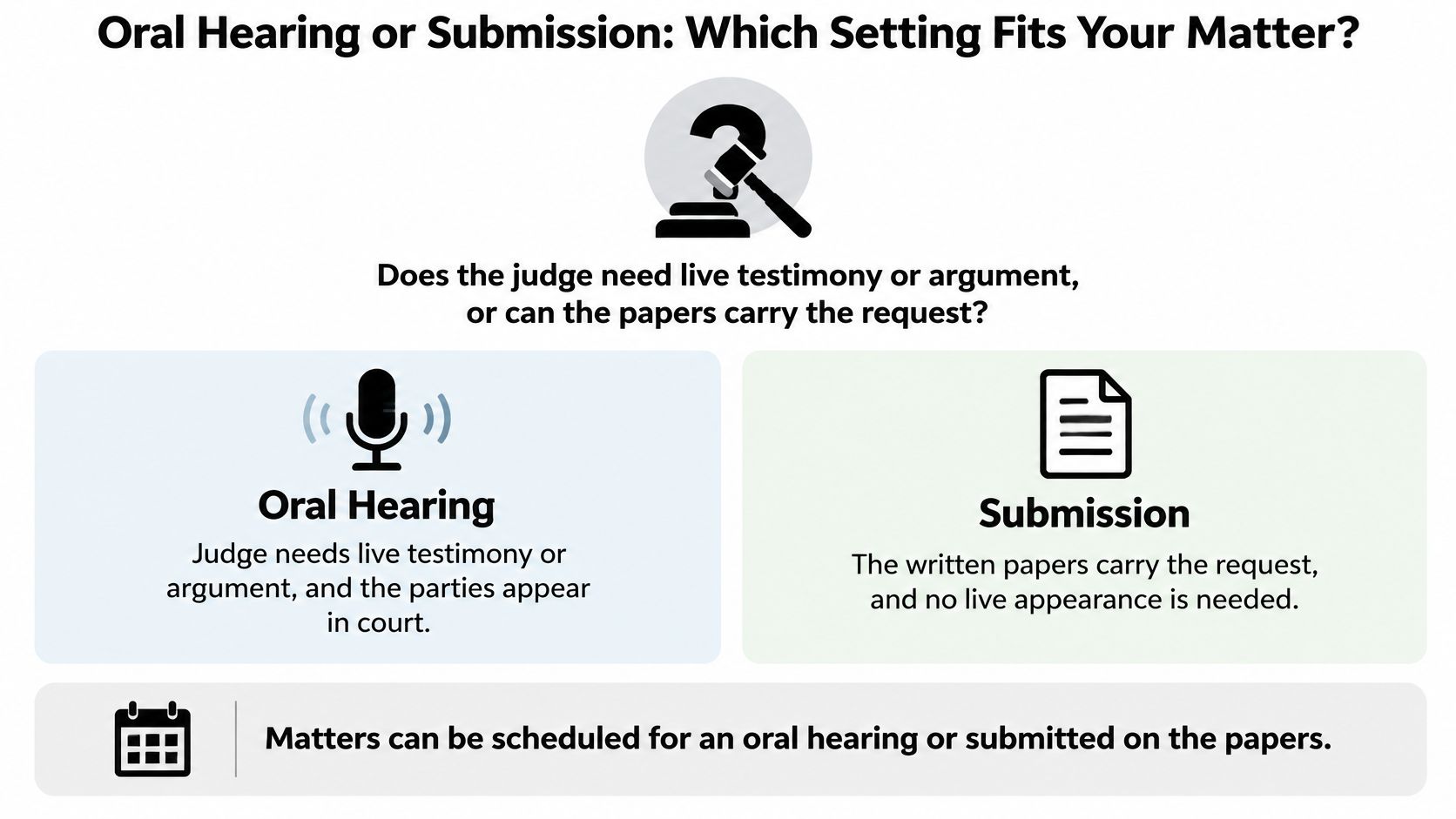
Oral hearing versus submission setting
| Setting | Testimony taken | Notice rule | Best used when |
|---|---|---|---|
| Oral hearing | Live argument or testimony, as appropriate | Give notice under the applicable court rules; check the required period for your request with the court coordinator | Facts are disputed or need to be presented live |
| Submission | No, the judge decides based on filed papers | Serve within the submission notice period stated above, allowing more time when required | The request is narrow and the papers show the need |
| Modification request | Live testimony if scheduled as an evidentiary hearing | An affidavit and judicial approval may be required before setting | A party seeks a change to an existing order |
| Trial | Yes, evidence is presented | Confirm the notice requirements with the assigned court | Contested issues need a full decision |
An oral hearing does not always include witnesses. Some hearings focus on legal argument; an evidentiary hearing includes testimony and exhibits. In either format, the judge decides the request based on the applicable procedure and the materials presented.
When a modification needs preliminary approval
A modification asks the court to change an existing order. The court's hearing-request procedures explain that some modification requests need an affidavit and judicial approval before scheduling.
For example, a Kingwood father seeking a change to an existing custody schedule should check the approval steps before expecting a setting. An affidavit is a sworn written statement. If the procedure requires one, the judge's approval may need to come before court staff can arrange the hearing.
Submission can spare the parties an appearance when the issue is suitable for written consideration. It still requires proper notice and any required approval. Choose an oral hearing when disputed facts need live presentation; consider submission when the request is narrow, the supporting papers are sufficient, and the court permits that procedure for the issue.
E-Filing and Family Intake Steps
Family Intake is the District Clerk's office that accepts family-case pleadings and produces requested service documents. A pleading is a formal document telling the court what a party requests or how that party responds.
The District Clerk's filing-method guidance requires attorneys to e-file, permits paper filing for qualifying self-represented filers under county restrictions, and does not accept fax filings or other non-eFileTexas electronic submissions. Start with the court's local rules and the clerk's intake process, not an informal message asking the judge to intervene.
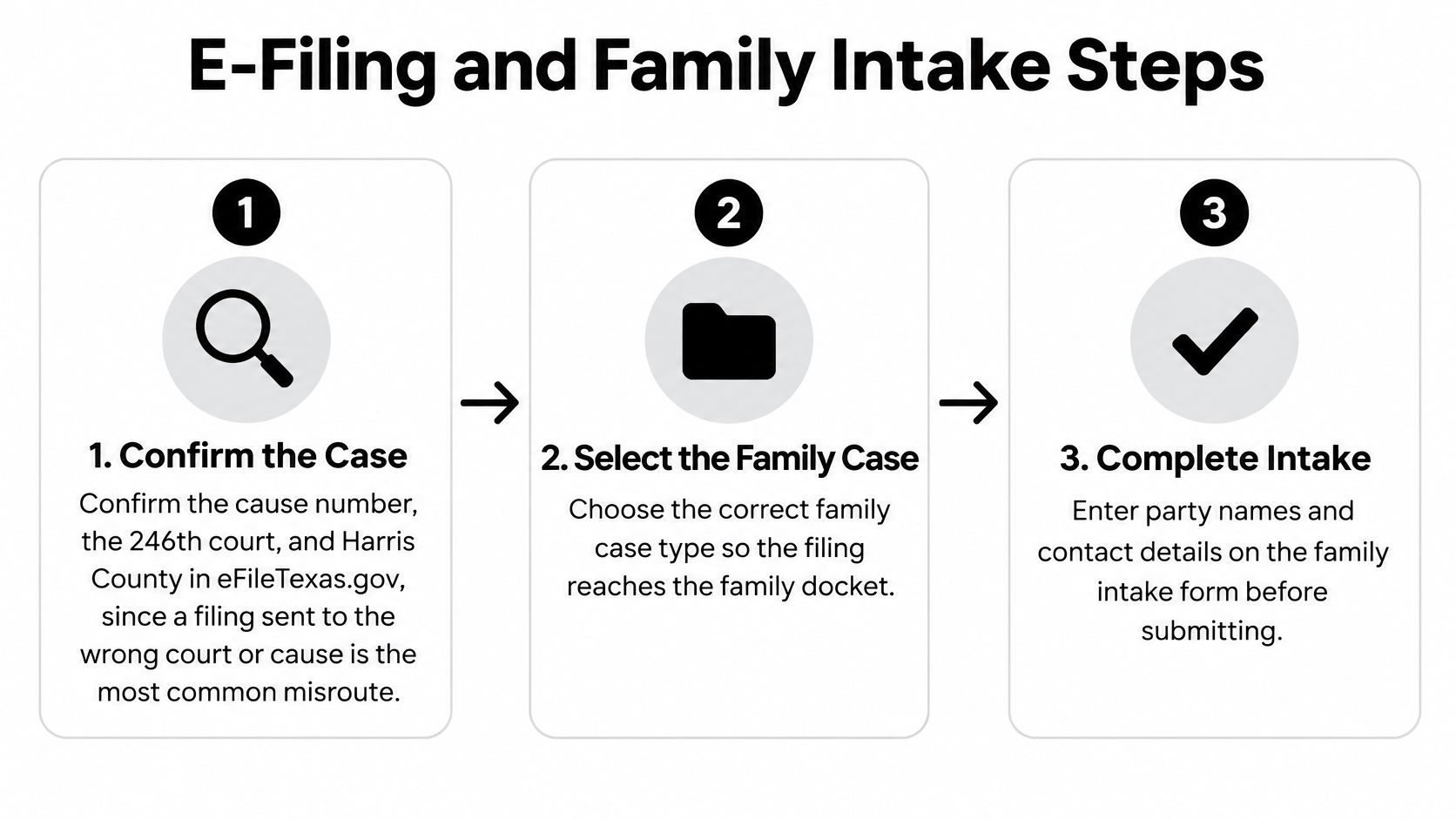
Prepare the filing before opening the upload screen
Gather your existing orders, the case identification information, your proposed filing, and the exhibits supporting it. Determine whether the request also needs formal service, hearing notice, a proposed order, or permission before scheduling.
The District Clerk's electronic-services guidance identifies a 35 MB envelope limit and directs filers to verify routing information and prepare properly oriented PDFs. An envelope is the electronic package containing your submission; confirm the current technical limit before uploading.
Use this filing sequence:
Confirm the case identifiers. Check the cause number, which is the case's identifying number, against an existing court document. Verify Harris County and the assigned court in eFileTexas.gov rather than relying on a saved selection. For a new case, follow the new-case workflow instead of entering an unrelated existing cause.
Select the family category and case type. Choose the category matching the proceeding. Read the selection back against your pleading before continuing, particularly when you're working on more than one legal matter.
Prepare readable PDFs. Open the actual files you intend to upload. Rotate sideways pages, check signatures, and make sure scanned text is legible. A document that looks fine in a word processor can look different after conversion.
Check the envelope size. Reduce oversized scans without making them unreadable. If documents must be separated, preserve their organization and follow the provider's and court's instructions. Don't split a required combined document merely to get past an upload warning.
Attach the affidavit correctly. Generally, combine a supporting affidavit with the pleading it supports, following the applicable forms and filing directions. Check that the sworn statement and its referenced attachments remain together.
Choose matching filing and document codes. These menu selections tell the clerk what you're submitting. Select the appropriate security designation, too. Don't choose a vaguely similar code just because it appears first.
Review and submit through a certified provider. An electronic filing service provider transmits your documents to the filing system. Check the destination, document descriptions, service selections, and payment screen before sending the envelope.
Save the records and address rejection promptly. Keep the submission receipt and the clerk's acceptance or rejection message. I recommend reviewing a rejection the same day you receive it when possible, especially when a deadline is approaching. Fix the stated problem rather than resending an unchanged envelope.
Keep the documents connected to their purpose
Not every family case requires the same packet. An uncontested divorce, a contested custody modification, and an enforcement request can require different supporting materials.
The court's case-profile discussion of required forms identifies checklist completion before an uncontested matter can be heard. Use the current court checklist itself to assemble your packet rather than treating another person's filing as a template.
Family filing documents and common mistakes
| Document | When it applies | Common mistake |
|---|---|---|
| Original petition or motion | Starting a case or asking the court for relief | Filed under the wrong cause number or case type |
| Required-orders and forms checklist items | Before an uncontested matter can be heard | Missing items delay the setting |
| Supporting affidavit | Supporting a family-court filing, such as a modification request | Uploaded separately instead of combined with the pleading |
| Notice of hearing | After a motion is filed and a setting is requested | Served late for a submission setting |
| Proposed order | When the court needs a draft to sign | Does not match the relief requested |
A proposed order is the draft you ask the judge to sign. Compare its requested terms with the motion so the court and opposing party can identify exactly what you're seeking.
For a closer filing checklist, use our guide to Harris County eFileTexas requirements for family cases. Keep a separate task for scheduling instead of marking the entire matter complete when the clerk accepts it.
For offices coordinating filings across staff members, IamVera.AI's resource on case management for litigation teams offers additional workflow context. The practical principle also works for a self-represented parent: assign responsibility for checking acceptance, service, and scheduling rather than assuming someone else handled them.
Acceptance confirms a filing milestone. It does not confirm that the judge has reserved time to hear your request.
From Accepted Filing to a Confirmed Setting
After acceptance, switch from document preparation to scheduling verification. Your goal is a record showing what the court will consider, when it will consider it, and how everyone received the required notice.
Keep those records together. A folder labeled by the case name and cause number is more useful than searching your inbox while speaking with court staff.
Build a complete scheduling record
Identify the requested setting. Check that your filed motion clearly asks for the relief you want considered. If a necessary motion hasn't been filed, complete that step before treating the request as ready for scheduling.
Prepare the notice. Include the correct case information and setting type. Use the confirmed date, time, and appearance instructions, and complete service within the applicable notice period. Don't circulate an unconfirmed date as though the court approved it.
Send a clear scheduling request. Include the cause number, case name, motion title, requested format, and relevant filing information. Ask staff how the request was logged and whether anything remains outstanding.
Resolve approval requirements. If preliminary judicial review is necessary, track that review separately from the hearing request. Ask what confirmation you should expect before proceeding with the next scheduling task.
Verify the appearance method. Confirm whether the setting is virtual or in person and record who provided the answer. Save written instructions, including any access information.
Confirm exhibit delivery. Identify the recipients and delivery method before transmitting evidence. Keep proof of delivery to the court reporter and opposing party, and follow up if receipt is unclear.
Monitor the case record. Use the District Clerk's case-search function to review the docket sheet, the court's running record of activity. Save relevant entries alongside your scheduling correspondence.
Ask staff questions they can answer
Court staff can clarify administrative steps, but they can't choose your legal strategy. Ask whether the setting is confirmed, whether approval remains pending, and which instructions apply to your hearing.
Our guide to working with a Harris County family court coordinator to obtain a hearing date can help you organize that conversation. Give staff enough identifying information to locate the request without sending your entire personal history.
Keep a confirmation trail: Save the accepted filing, service proof, scheduling response, and notes from staff conversations together.
If the responses conflict, identify the discrepancy specifically. Asking which date controls is more productive than sending another general request for an update.
Docket Day and Pre-Hearing Checks
A case can appear on the calendar before the judge considers the request. A docket listing shows that the matter is scheduled; docket call is when the court calls cases and checks their status. The hearing is when the judge considers the request. Plan for waiting, especially if you are traveling from Humble or Atascocita, and allow for work and childcare arrangements that can accommodate delays.
The 246th District Court's published policies addressing virtual proceedings and docket monitoring describe exhibit preparation and assign parties responsibility for monitoring rulings.

Prepare for the setting
Use this checklist before the hearing:
- Follow the location or platform instructions. Use the directions for your specific setting.
- Allow arrival time. Account for travel, parking, security, and finding the courtroom. For a remote hearing, test your device, audio, and internet connection beforehand.
- Prepare a decision list. Write down the specific rulings you are asking the judge to make, and identify the evidence that supports each request.
- Organize exhibits. Mark them in advance, prepare usable copies, and keep labels consistent across all versions.
- Follow exhibit exchange instructions. For Zoom proceedings, meet the stated deadline and send materials to the court reporter and opposing party as directed.
A clear presentation helps the judge follow your request. Keep it factual, answer the question asked, and avoid interrupting the other party. This guide to what happens at a Harris County family court hearing explains the courtroom process.
Respond promptly to connection problems
If your connection fails, save a record of the error and promptly notify the court in writing through its designated communication method. Identify the case and setting, then describe the technical problem briefly. Contact the court yourself so the staff receives the information directly.
If a filing appears online but you do not have a confirmed setting, contact court staff about the setting. A filed document and a scheduled hearing are separate steps. After the hearing, obtain the applicable order and calendar any deadline it sets. If the written order does not match your understanding of the judge's decision, ask for clarification.
Schedule a Free Consultation in Humble
A filing may be accepted while the hearing setting or service remains unresolved. The Law Office of Bryan Fagan serves families in Humble, Atascocita, Kingwood, and Northeast Houston. In a consultation, discuss the immediate scheduling issue alongside the larger family-law matter, including divorce, custody, support, or property disputes.
Bring the documents that show where you stand
Bring existing orders, recent filings, acceptance messages, service records, and court correspondence. Reviewing the acceptance notice alongside the service record can help identify whether the filing was accepted and whether notice to the other party is documented. For enforcement, meaning court action over an alleged order violation, bring the order and records showing what was not followed.
The Child Custody Lawyer in Humble, TX page describes custody and conservatorship representation for Humble families. Conservatorship concerns parental rights and responsibilities. The Divorce Lawyer in Humble, TX page covers divorce representation for clients in Humble and Harris County.
Call or visit the Humble office to discuss your documents, the next court-related task, and a practical next step. The Law Office of Bryan Fagan offers family-law guidance on filings, hearing settings, and court preparation. Visit Law Office of Bryan Fagan to arrange a consultation before your next court date.