Skip to content
You've filed a custody motion, checked your email repeatedly, and still don't have a hearing date. If you live in Humble, Atascocita, Kingwood, or Northeast Houston, the frustration can feel personal, especially when one court employee tells you to contact someone else. The problem usually isn't that you missed a secret form. Harris County family court scheduling is divided among several offices, portals, and court-specific contacts.
The right answer to “Harris County family court coordinator how to get a hearing date” depends on what you filed, which court has your case, and whether you're represented. Follow the correct path from the beginning, and you'll avoid the most common scheduling mistakes.
Understanding the Harris County Family Court Scheduling Process
A Humble parent might file a motion to modify custody, assume the District Clerk will assign a date, and wait for a notice in the mail. That assumption causes unnecessary delays. Harris County family courts don't use one centralized office that assigns every hearing date. The assigned court, the type of proceeding, and the filing method all affect what happens next.
The Harris County family court information explains that dates may be scheduled through online systems, by telephone, or by emailing the court clerk after a petition or motion has been filed. The county also separates docket types, including final trials, temporary restraining order hearings, and settings for self-represented parties. There isn't one universal queue for every family-law matter.
Practical rule: Filing starts the case. Filing alone usually doesn't finish the scheduling process.
The family courts are located at the Civil Courthouse, 201 Caroline Street, Houston. The Family Intake office is at 201 Caroline, Suite 210, and the published main intake number is (832) 927-5700. Court operations are listed as Monday through Friday, from 8:00 a.m. to 5:00 p.m. Those details can help you identify the right courthouse or starting point, but they don't replace contacting the court assigned to your case.
Harris County has also developed more digital scheduling infrastructure. Its web services include a dedicated Coordinator's Settings/Notices search and an e-hearing portal. That modernization makes ordinary motion scheduling more manageable, but it hasn't eliminated the need to identify the correct coordinator or clerk.
For a local overview of the court system, residents can review Harris County family court information for Humble residents. The key point is simple: file first, confirm your assigned court, then use that court's approved scheduling channel. If you call a generic office without knowing the proceeding type or court assignment, you may be sent from the District Clerk to a coordinator, then to another clerk.
Filing Your Motion and Choosing the Right Channel
Before you call anyone about a hearing date, make sure the motion or petition has been filed. A draft saved on your computer, an emailed copy, or paperwork handed to an opposing party isn't the same as an accepted court filing. You need the filed case information, including the case number and assigned court, before you can use the correct scheduling process.
Start with the filing and court assignment
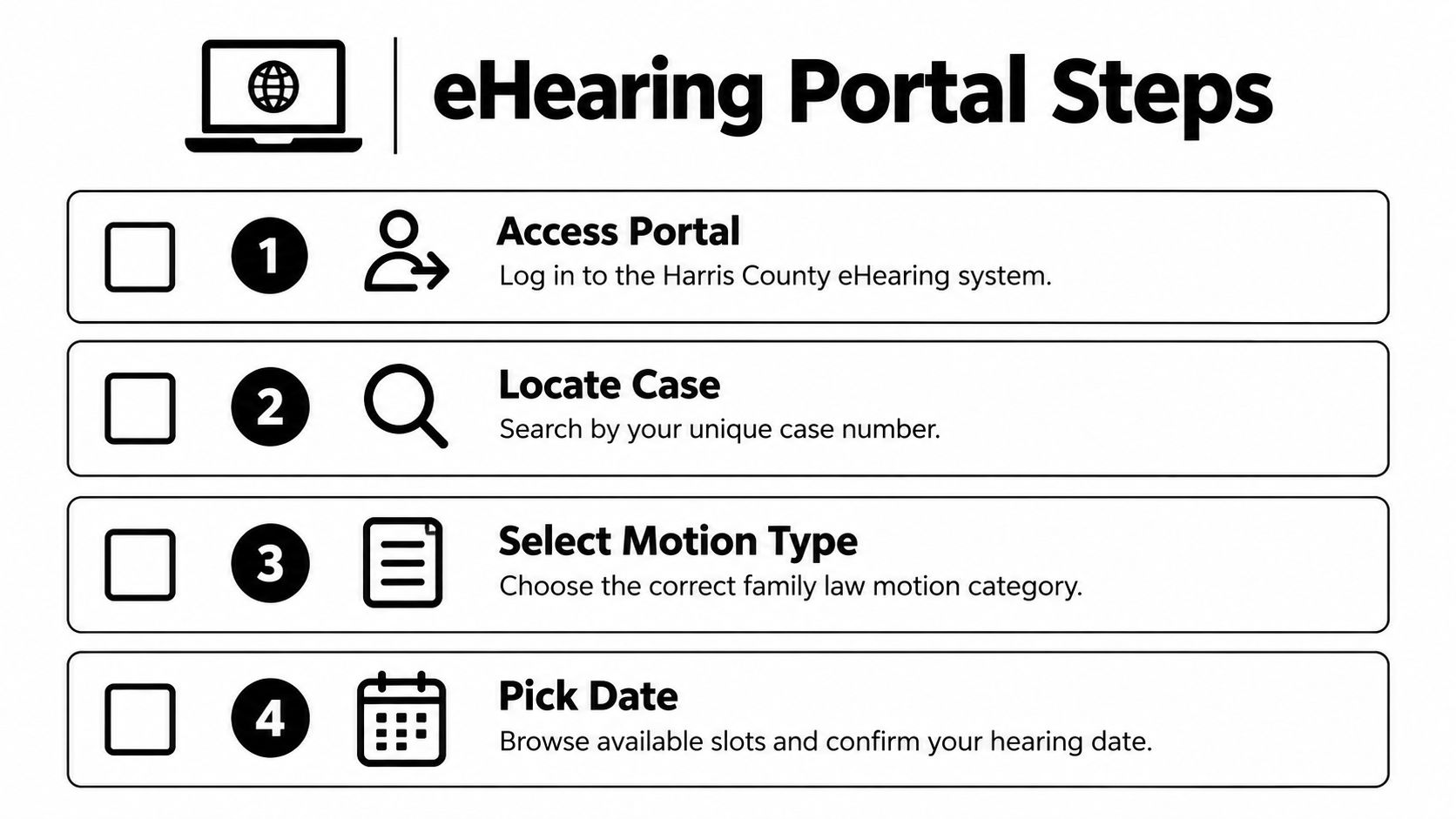
File your motion through the appropriate e-filing process or at the Civil Courthouse. After the clerk accepts it, save the file-stamped copy and confirm the case number and court assignment. Those details control what appears in the eHearing system and tell you which coordinator or clerk handles the request.
The correct channel then depends on the hearing:
- Standard family-law motion: For an ordinary hearing after a motion has been e-filed, use the District Clerk's eHearing portal when the assigned court participates in that workflow. The portal is tied to the filing account and isn't a general appointment calendar.
- Temporary Restraining Order: Don't put a TRO into the ordinary eHearing queue. Harris County guidance directs TRO requests through the Ancillary Clerk, because emergency relief follows a separate setting process.
- Self-represented setting: If you're representing yourself, follow the county's separate instructions for self-represented parties and contact the designated clerk for that pathway. Don't assume the same coordinator process used by attorneys applies to you.
- Zoom or hybrid hearing: Notify the court coordinator in advance when you need a remote or hybrid format. A request for a date and a request for a particular hearing format may require separate communication.
This distinction matters for anyone looking for a Divorce Lawyer in Humble, TX, because the filing and scheduling strategy can change depending on the motion and the court.
Match the request to the proceeding
Don't contact the Ancillary Clerk for a routine modification hearing, and don't submit a TRO as if it were an ordinary motion. Likewise, don't treat a self-represented setting as an attorney eHearing request just because both involve a family case.
Write down these details before you contact the court:
- Your case number.
- The assigned family court.
- The title of the filed motion.
- Whether the request is ordinary, emergency, self-represented, Zoom, or hybrid.
- Whether the opposing party has received the required notice.
That short preparation can prevent a long chain of incorrect referrals.
Scheduling Through the eHearing Portal
For a standard family-law motion, the District Clerk's eHearing portal is the primary digital route. The system is not designed for an unfiled motion, a TRO, or every self-represented request. It works after the motion has been filed and connects to the email address used for e-filing.
The Harris County eHearing user guide describes the basic workflow. Use the same email address associated with your e-filing account when you log in. Using another address can prevent the system from locating your filing or may leave you unable to access the available setting options.
Follow the portal workflow carefully
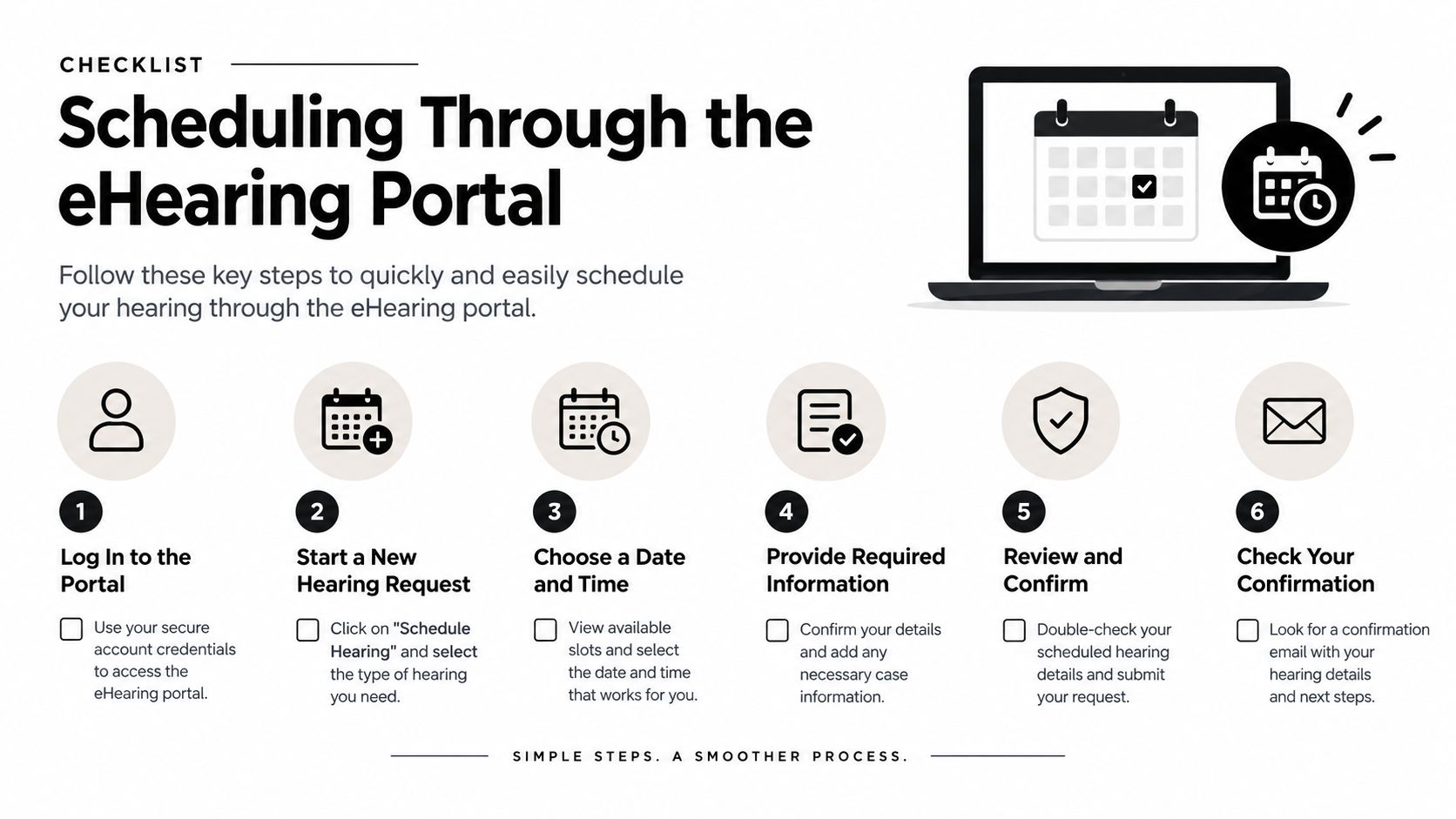
- Log in to the District Clerk site. Use the email address connected to the e-filing account, not a separate personal or work email.
- Open the filed motion. Look for the motion in the case record after the clerk has accepted the filing.
- Select the gavel icon. That icon begins the hearing request process for the filed motion.
- Choose an available calendar date. Review the dates shown for the assigned court and select an appropriate option.
- Submit the request. Confirm the details before sending the request through the portal.
- Wait for confirmation. The clerk or judge must confirm the setting. A date displayed during the request process isn't necessarily the final confirmed hearing date until the court accepts it.
The portal may not show your motion immediately after filing. First, confirm that the filing was accepted and that you logged in with the same email used for e-filing. Next, verify that you're viewing the correct case and motion. If the filing still isn't available, use the assigned court's coordinator or clerk contact information rather than sending the same request to a generic county address.
The Harris County District Clerk and family case lookup information can help you locate case information, but a case lookup isn't a substitute for a confirmed hearing setting. Check the case record, preserve confirmation messages, and keep a copy of the submitted request.
Know what the portal doesn't handle
The eHearing portal is useful for ordinary motions, but it isn't the answer for every family court event. TROs go through the Ancillary Clerk. Hybrid settings require advance notice to the coordinator. Self-represented parties may have to use a different clerk and setting method.
If your issue involves immediate safety, threatened removal of a child, or another urgent circumstance, don't wait for a routine portal date and assume the court will recognize the emergency automatically. Identify the emergency procedure and contact the appropriate office promptly.
Handling Delays, Resets, and Emergency Hearings
A hearing request can stall even when you've filed correctly. The motion may not appear in the portal, available dates may not fit the case, or the court may require additional coordination. Waiting without following up is a poor strategy, especially when a deadline or family-safety concern is involved.
The Harris County Law Library's guidance on setting a civil or family hearing advises parties to contact the court coordinator after filing, check back if no hearing has been set, and file a Motion to Set Hearing when necessary. That means scheduling isn't always a single call. It can involve filing, notice, coordinator review, and persistent follow-up.
Treat a reset as a new request
If a previously requested date no longer works or the hearing needs to be moved, don't email the coordinator again and assume the change is complete. In the eHearing workflow, a reset request is a distinct submission. Select a new date and, when applicable, a new time, then submit the reset through the system.
Keep proof of the original setting and the reset request. Until the court confirms the change, treat the existing hearing date as active. Missing the original setting because you assumed a reset was approved can create a separate problem.
For a pro se litigant who still has no setting, the next step may be a formal Motion to Set Hearing. Filing that motion doesn't guarantee an immediate date, but it creates a clear procedural request for the court to address. Follow the assigned court's instructions for service and notice.
Separate emergencies from ordinary delays
A TRO isn't just a faster version of a standard motion. It uses a different pathway through the Ancillary Clerk. If someone faces an immediate threat involving family safety or a child, gather the facts and supporting documents, identify the emergency relief requested, and contact the correct clerk promptly.
Emergency warning: Don't bury a TRO request in the ordinary eHearing queue. Use the Ancillary Clerk pathway and follow the court's emergency instructions.
For urgent custody concerns, practical legal guidance such as how fast a judge can grant emergency custody in Texas may help you understand the type of relief involved. It doesn't replace advice about your facts or confirmation from the assigned court.
Common Mistakes That Stall Your Hearing Date
The most damaging scheduling assumption is that any clerk can fix any filing problem. Harris County uses court-specific contacts, and the wrong contact can leave a request unresolved. Correct the error at its source instead of repeatedly calling offices that don't control your setting.
Check these problem areas before following up
- Wrong e-filing email: The eHearing system relies on the email associated with your e-filing account. Log in with that same address and confirm the motion was accepted.
- Wrong hearing pathway: A TRO belongs with the Ancillary Clerk, not the ordinary eHearing queue. A self-represented setting may require a different clerk.
- Missing format notice: A Zoom or hybrid request requires advance notice to the coordinator. Selecting an online date doesn't necessarily create a hybrid setting.
- Incomplete service information: Confirm that the opposing party received the notice required for the motion. Keep proof of service with your case records.
- Unclear court assignment: Verify the assigned court before contacting a coordinator. Family courts don't share one universal scheduling calendar.
- Assuming a request equals confirmation: A submitted request isn't the same as a confirmed hearing. Watch for the clerk's or judge's confirmation.
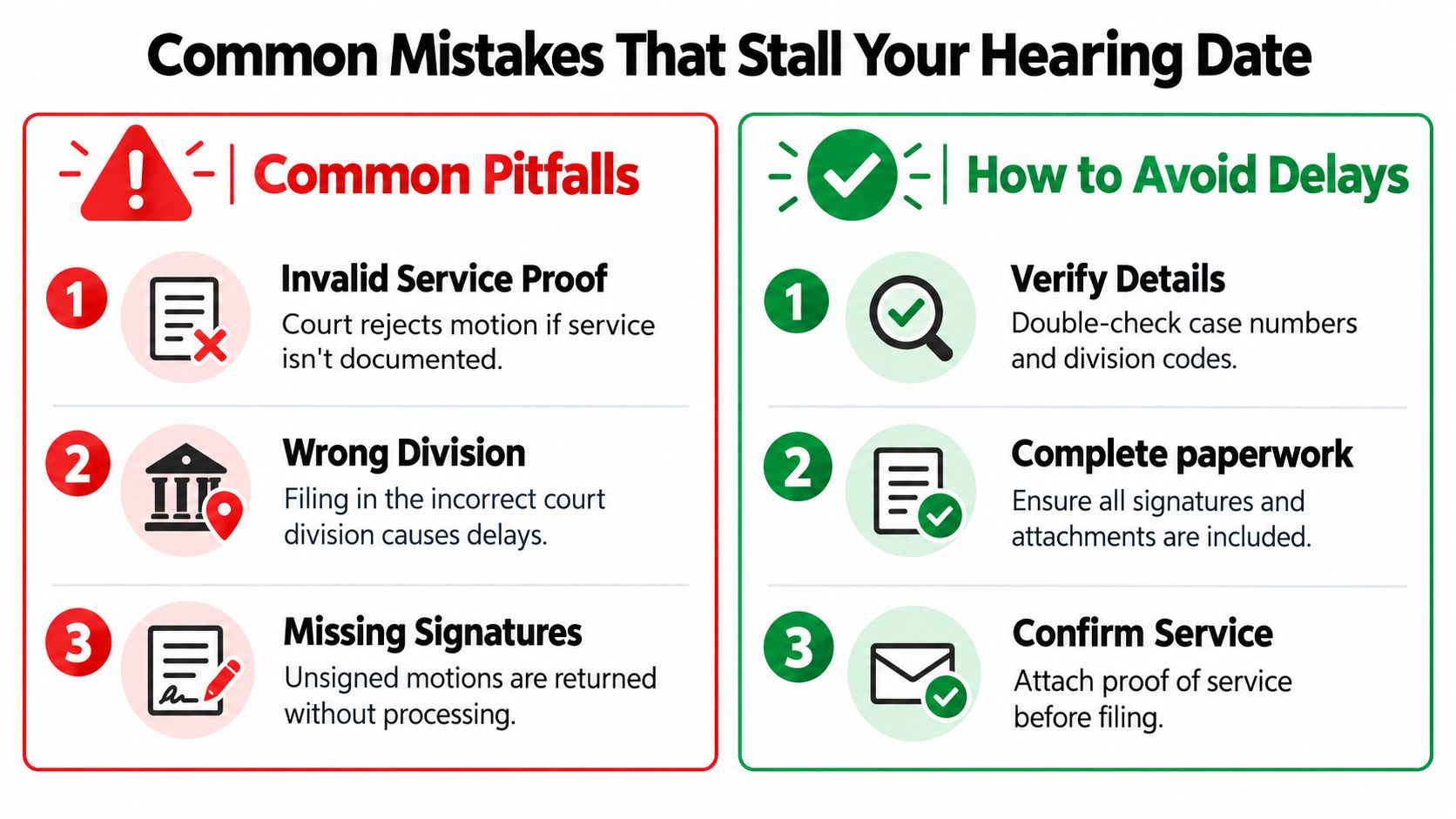
Don't let a polished motion create false confidence. The court still needs the correct case number, division, signatures, attachments, service information, and setting method. If the clerk returns a filing or tells you to contact another office, read the message closely and correct the specific issue.
Residents of Kingwood, Atascocita, and Northeast Houston often try to solve the problem by sending more emails. More messages won't cure a wrong pathway. One accurate request to the correct court contact, supported by the filed motion and proof of service, is far more useful.
When to Bring in a Local Humble Family Law Attorney
You can handle some Harris County scheduling tasks yourself, but the fragmented process creates avoidable risk. A lawyer must still file the correct motion, use the proper channel, give required notice, and confirm the setting. Legal representation doesn't eliminate procedure. It gives you someone who understands how the pieces fit together and can respond when the portal or clerk process doesn't move as expected.
This matters most when the hearing concerns custody, support, enforcement, property, or emergency protection. A missed setting can affect a family's immediate plans, and a mistaken TRO submission can waste time when the situation requires a different response. A local attorney can also help distinguish a routine hearing from a request that needs emergency handling or special notice.
The Law Office of Bryan Fagan serves families in Humble, Atascocita, Kingwood, and Northeast Houston in family-law matters, as well as criminal defense and estate planning. If you're interested in the administrative side of a modern legal practice, this overview of how law firms automate intake explains how firms can organize initial inquiries before an attorney reviews the legal issue.
Bring your filed motion, case number, court assignment, notices, and any portal confirmation to a consultation. The right review can identify whether you need a standard eHearing request, a reset, a Motion to Set Hearing, a self-represented pathway, or an emergency request through the Ancillary Clerk.
The Law Office of Bryan Fagan offers practical family-law guidance for Harris County residents who need help filing motions and navigating the correct hearing-setting process. Schedule a free consultation through the Law Office of Bryan Fagan to discuss your custody, divorce, or other family-law concern with a local Humble attorney.